Get more Google reviews without chasing customers.
Last updated: · By Lauren Dillon
ReviewIdea is a set of free tools that help local businesses get more Google reviews. It includes a review link and QR code generator, an AI reply writer, a website review widget, a social review image maker, and a review rating calculator. There's no account and no credit card. The method is simple: ask for feedback at the right moment and make leaving a review simple.
Used by dentists, groomers, restaurants and home-service crews.
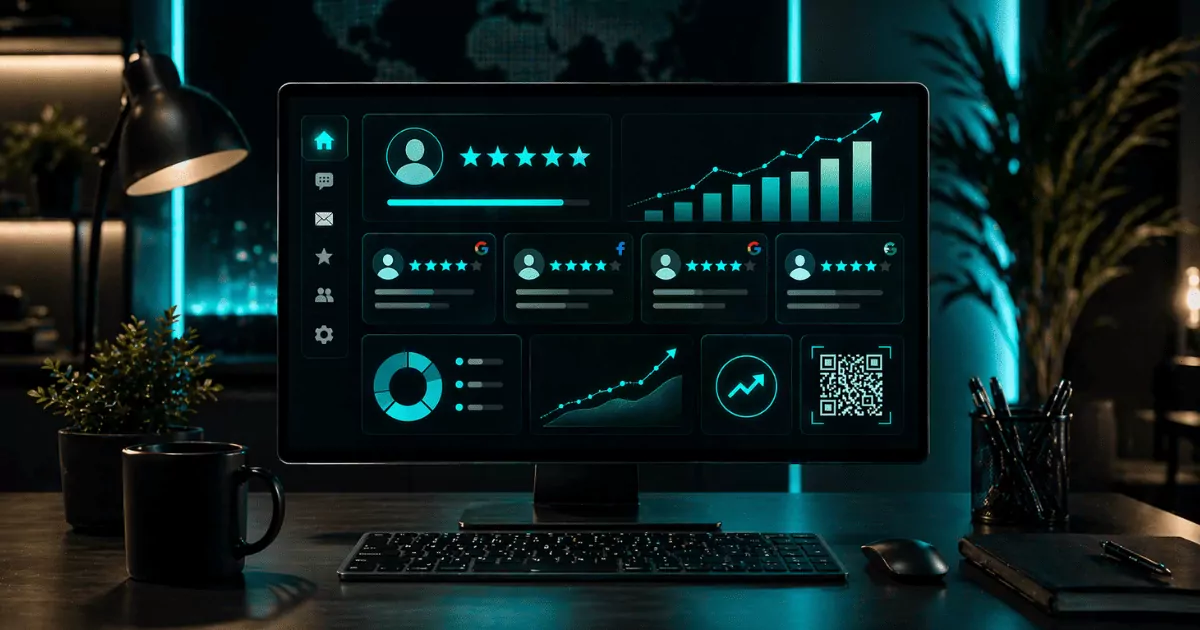
What is ReviewIdea?
ReviewIdea is a free toolkit for getting, answering, and showing Google reviews. It's built for local businesses like dental practices, med spas, vet clinics, restaurants, and home service crews.
Five tools. Ten seconds. No credit card.
Review link & QR code generator
01Look up your business and get a short link and a printable QR code.
Review reply writer
02Drafts a reply to your latest Google review in your tone and even handles bad reviews.
Social proof widget
03Display your real Google reviews on your website with a quick wall of love builder.
Social review image maker
04Turns your latest review into an image for Facebook.
Review rating calculator
05Shows how many new 5-star reviews it takes to reach your target rating.
Key takeaways
- The fastest way to get more reviews is to ask every customer soon after a good experience and give them a direct link or QR code.
- Google gives every Business Profile its own review link. You can get it from the "Ask for reviews" option in your profile, or generate a short link and QR code with ReviewIdea.
- Reply to every review, positive and negative, briefly and professionally.
- Google's policy prohibits paying for reviews and selectively asking only happy customers. The FTC's rule on fake reviews has applied in the US since October 2024.
- Reviews can go missing because of processing delays, spam filters, or policy removals. Sudden spikes in review requests raise that risk.
- Free tools cover asking, replying, and showing reviews. Paid platforms add automation and multi-location reporting.
Built for your kind of business
Same tools, wording that fits how your customers actually talk.
Vets & groomers
Follow up while the tail's still wagging.
Med spas & salons
Ask right after they check the mirror.
Private pay clinics
Catch them walking out feeling better.
Home services
Text the link from the driveway.
Restaurants & cafés
A QR on the check does the work.
Dental practices
Ask at checkout, not in the chair.
Google reviews, answered
How do I get more Google reviews?
Ask every customer, soon after a good experience, with a one-tap link. Most customers who don't leave a review were simply never asked, or had to search for where to do it.
- Get your review link or QR code.
- Ask at a natural moment, like checkout or job completion.
- Send the link by text or email the same day.
- Put the QR code where customers wait or pay.
- Keep asking at a steady pace instead of in bursts.
- Reply to the reviews you get.
What is a Google review link and where do I find it?
A Google review link is a URL that opens the review form for your Business Profile directly. Google provides it in your Business Profile under the option to ask for reviews.
Google's links are long and hard to print. The ReviewIdea generator shortens the link and makes a QR code from it. You don't need to sign in to your profile to do this.
Get your short review link →How do I make a Google review QR code?
Make a QR code from your review link, then print it where customers already pause. Scanning it opens the review form on their phone.
Good places for the code:
- Receipts and checks (restaurants and cafés)
- Checkout counters and front desks (dental, med spas, clinics)
- Leave-behind cards and invoices (home services)
- Table tents, menus, and waiting areas
When is the best time to ask for a review?
Ask right after the customer feels the result, while the experience is still fresh. The exact moment depends on your business.
- Dental practices: at checkout, not in the chair
- Med spas and salons: right after they check the mirror
- Vets and groomers: at pickup
- Home services: by text from the driveway when the job is done
- Restaurants: a QR code card presented by the server at the table
How should I respond to Google reviews?
Respond to every review briefly, professionally, and in your own voice. Google's own guidance for business replies is to be polite, relevant, and keep it short.
- Positive reviews: thank them by name and mention something specific.
- Negative reviews: acknowledge the issue, don't argue, and offer to continue the conversation offline.
- Never include private customer details in a public reply.
The ReviewIdea reply writer drafts a response you can edit before posting.
Is it OK to use AI to write review replies?
Yes, as long as you review and edit each reply before posting. A reply is a public statement from your business, so check it for accuracy, tone, and privacy before it goes live.
Try the free review reply writer →How do I show Google reviews on my website?
Embed a review widget that pulls your real Google reviews onto your pages. The ReviewIdea social proof widget displays your reviews and matches your site's styling. Put it near your contact form or booking button, where visitors decide whether to reach out.
Build your social proof widget →Free review tools vs paid reputation software
Free tools cover the core jobs of asking, replying, and showing reviews. Paid platforms add automation and scale.
| Need | ReviewIdea (free) | Google Business Profile alone | Paid reputation platforms |
|---|---|---|---|
| Review link | Short link | Yes, long URL | Yes |
| Printable QR code | Yes | Varies (check your profile) | Yes |
| Reply drafting | AI reply writer | Manual | Usually included |
| Website social proof | Yes | No | Usually included |
| Social review images | Yes | No | Sometimes |
| Automated SMS and email requests | No | No | Usually included |
| Multi-location reporting | No | Limited | Yes |
| Account required | No | Yes | Yes |
| Cost | Free | Free | Monthly subscription (varies by vendor) |
Paid tools make sense once you're managing several locations, want more time back with automations, and prefer to see leaderboard reporting. A single location can often do everything it needs with the free tools.
See the free tools →Can I offer incentives or buy Google reviews?
No. Google's policy prohibits offering money or rewards in exchange for reviews. It also bars asking only happy customers to review you. In the US, the FTC's Rule on the Use of Consumer Reviews and Testimonials took effect October 21, 2024. It bans buying fake reviews and suppressing negative ones, and violations can bring civil penalties.
Safe practice:
- Ask everyone, not just happy customers.
- Don't tell customers what to write.
- Don't offer discounts, gifts, or prize entries for reviews.
Why are my Google reviews not showing or disappearing?
Missing reviews are usually delayed, filtered, or removed. They're rarely lost at random. Google runs automated checks, and reviews can be held or removed if the timing, wording, or reviewer account looks unusual.
Common triggers:
- A sudden burst of reviews after a quiet period
- Several reviews with similar wording
- Brand-new or low-activity reviewer accounts
- Links, phone numbers, or promotional language in the review
What to do:
- Wait a few days before escalating.
- Ask the reviewer whether they can still see the review on their own account.
- Save screenshots before contacting support.
Our guide When Google Reviews Disappear walks through the full process.
Do Google reviews affect local ranking?
Yes. Google says local results depend on relevance, distance, and prominence. Review count and review score are factors in prominence, so more reviews and good ratings can improve how visible your business is locally.
Do reviews affect local rankings? →What owners say
The reply generator alone saved me so much time and frustration. I used to just stare at the screen not knowing what to say back.
Customers actually stop and read the reviews on our site now instead of scrolling past. It's the first thing people mention is how many reviews we have.
Start Here: Build a Stronger Local Reputation
Learn what positive reviews actually do, how popular local businesses use them differently, and the complete system for capturing, responding to, refreshing, promoting, and tracking review proof.
Start Here →FAQ
Is ReviewIdea really free?
Yes. All five tools are free to use, with no account and no credit card required. You look up your business and use the tool right away. When you submit your email, we'll send our Quick Start guide. We're covering the tech costs as part of a Joyful Evolver #ShopLocal initiative to say thank you to the local businesses that make our communities great.
Do I need to log in to my Google Business Profile to use it?
No. You search for your business by name, and the tool builds your link, QR code, widget, or image from your public listing. We're using direct integrations with Google to save you time.
How many Google reviews do I need?
It's relative to the average and max reviews in your area. What matters is having more recent reviews than the businesses you compete with in local results. A steady flow of new reviews towards closing the gap your business may face against other top competitors is what's key.
Can I ask customers to leave a 5-star review?
Ask for honest feedback, not a specific rating. Google's policy discourages selectively soliciting positive reviews, and a request for honest feedback keeps you compliant.
Should I reply to negative reviews?
Yes. A calm, specific reply shows future customers how you handle problems. Keep it short, avoid arguing, and move the details to a private conversation. Our review reply writer tool can help with this when you don't know what to say. A business can turn any negative review around with a 5-star owner response so it's important to get the tone, professionalism, and accountability spot on for future readers.
Why did my review count stop going up?
The count can lag behind new reviews. It can also stay flat when a new review arrives while an older one is removed. Track the count by date before assuming reviews are blocked.
Can I text customers my review link?
Yes. Texting the link right after the service is one of the most effective ways to ask. Keep the message short and don't offer anything in exchange for the review. This only works in businesses where you have a process for collecting an opt-in mobile phone number and is best handled through commercial systems following carrier regulations and not from a personal cell phone. If the business doesn't have a cell phone capture method, alternative approaches would be to use a QR code or NFC tap card, or send an email, for example.
Which businesses use ReviewIdea?
Restaurants, med spas, private pay clinics, and home service crews are examples of who uses ReviewIdea but it works for any local business with a physical address on Google maps profiles. The tools are the same across industries, with request wording tailored to each one.
Sources
- Google Business Profile Help, "Tips to get more reviews": https://support.google.com/business/answer/3474122
- Google Business Profile Help, "Tips to improve your local ranking on Google": https://support.google.com/business/answer/7091
- Google Maps User Generated Content Policy, prohibited and restricted content: https://support.google.com/contributionpolicy/answer/7400114
- FTC, Rule on the Use of Consumer Reviews and Testimonials (16 CFR Part 465): https://www.ftc.gov/legal-library/browse/rules/rule-use-consumer-reviews-testimonials
- Done-for-you review growth service by OnlineKix, managed by Lauren: https://reviewfuel.onlinekix.com